







For most Indian teams in 2026, the best project management software is Zoho Projects if you want an affordable, India-billed tool with GST invoices and a free plan for up to 5 users, Asana or monday.com if your team values polished workflows and a large integration library, Jira if you run software sprints, and Microsoft Project or Smartsheet if you manage large programmes with many dependent projects. Small teams that only need task boards can start with Trello or ClickUp at no cost.
Below we compare the main options, explain what "project", "programme" and "portfolio" management actually mean when you buy software, and give a short checklist for choosing. Where a vendor does not publish a fixed price on its official page, we say so rather than guess.
What project management software does
Project management (PM) software gives a team one place to plan work, assign owners, set deadlines and see progress. A typical tool includes:
- Tasks and subtasks with owners, due dates and priorities
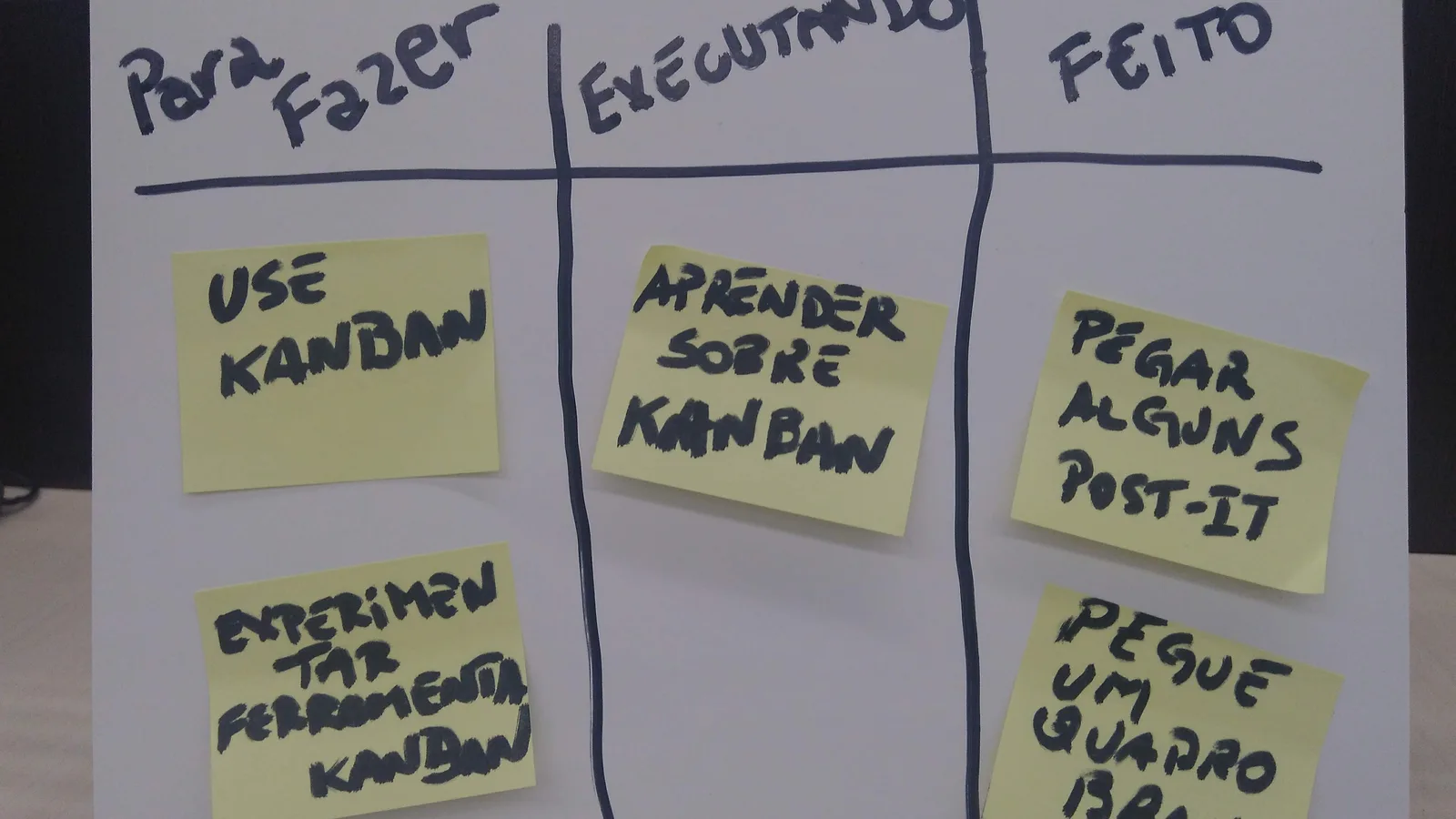
- Views such as list, Kanban board, calendar and Gantt chart
- Dependencies and milestones, so a delay in one task shows its knock-on effect
- Time tracking and timesheets for billing clients or measuring effort
- Documents, comments and approvals attached to each task
- Reports and dashboards for managers and clients
If your need is closer to chat and file sharing, a team collaboration tool may be enough. If you mainly log billable hours, look at time tracking software.
Project, programme and portfolio management: what is the difference?
Search terms like "program management software" and "project management solutions" are often used interchangeably, but they describe different jobs:
- Project management covers one piece of work with a start, end and budget, such as launching a website or fitting out an office.
- Programme management coordinates several related projects that share a goal, such as opening ten new stores. You need cross-project dependencies, shared resources and roll-up reporting.
- Portfolio management helps leadership decide which projects to fund and tracks them all at a high level.
Most small-business tools handle project management well. For programme and portfolio work, check for cross-project Gantt charts, resource workload views and portfolio dashboards; these usually sit in higher tiers.
Best project management software in India compared
| Software | Best for | Free plan | Pricing (official) |
|---|---|---|---|
| Zoho Projects | Indian SMBs, agencies, client projects | Yes, up to 5 users and 3 projects | Premium, Enterprise and Ultimate plans; per-user price shown at checkout, yearly billing saves over 15% |
| Asana | Marketing and operations teams | Yes | Per-seat plans; check official page for current rates |
| monday.com | Visual workflows across departments | Yes | Seat-based plans; check official page |
| ClickUp | All-in-one tasks, docs and goals | Yes | Per-user plans; check official page |
| Trello | Simple Kanban boards | Yes | Per-user plans; check official page |
| Jira | Software and agile teams | Yes | Per-user plans; check official page |
| Wrike | Professional services, large teams | Yes | Per-user plans; Enterprise quote-based |
| Smartsheet | Spreadsheet-style programme tracking | No permanent free plan listed | Per-user plans; Enterprise quote-based |
| Microsoft Project | Gantt-heavy programme management in Microsoft 365 | No | Sold through Microsoft 365 plans |
| Basecamp | Client communication with a flat fee | Limited free option | Flat and per-user plans; check official page |
Prices change often and many global vendors bill Indian customers in US dollars. Always confirm the currency and whether 18% GST is added before you commit.
Zoho Projects pricing
Zoho Projects is one of the most searched tools in India, so it deserves a closer look. According to Zoho's official pricing page:
- Free: up to 5 users, 3 projects and 5 GB storage, with basic features.
- Premium, Enterprise and Ultimate: paid per user, with a 15-day free trial and no credit card needed.
- Billing: monthly or yearly; Zoho says yearly plans save over 15% compared with monthly billing.
- Add-ons: client users, read-only users and extra resources can be added.
Zoho loads its rupee figures dynamically by region, so check the live page for the exact per-user rate that applies to your account. Because Zoho bills in rupees in India and issues GST invoices, finance teams often find it easier to buy than tools billed in dollars.
Zoho also sells Zoho Sprints for agile software teams. If you already use Zoho Books or Zoho CRM, Zoho Projects connects to them for invoicing timesheets and linking deals to projects.
Project management for events
"Event project management software" is a common search from agencies. A general PM tool can run an event plan well: create a template project with tasks for venue, vendors, permissions, speakers and logistics, then copy it for each event. Kanban boards suit fast-changing vendor lists, and Gantt charts help with hard deadlines.
What a PM tool will not do is sell tickets, register attendees or run check-in. For that you need dedicated event software. Our guide to the best event management software in India covers registration, ticketing and venue tools, and many agencies run both side by side.
Project management for construction and field work
Construction projects need daily progress reports, material and labour tracking and photo evidence from site. General PM tools can handle office planning, but site teams usually do better with a construction-specific app. See our guide to construction project management software in India.
How to choose project management software
- Map how your team works. Agencies bill by the hour and need timesheets; product teams need sprints and backlogs; operations teams need recurring checklists.
- Pick the views you will actually use. If managers want Gantt charts and dependencies, confirm they are included in the plan you can afford, not just the top tier.
- Count every type of user. Clients, freelancers and read-only stakeholders are sometimes free and sometimes charged as full seats.
- Check currency, GST and payment method. Rupee billing with GST invoices lets you claim input tax credit; dollar billing on a card may carry forex charges.
- Test integrations. Look for your email, calendar, chat, accounting and CRM tools. If you use Google Workspace or Microsoft 365, check file and calendar sync.
- Look at data location and access controls if you handle client or government data.
- Run a two-week pilot on a real project with the people who will use it every day, not just managers.
Common mistakes to avoid
- Buying the tool with the most features and then using only task lists.
- Rolling out without templates, so every project is set up differently.
- Ignoring mobile apps when half the team works away from a desk.
- Paying for full seats for people who only need to view progress.
Which tool fits which team
Digital and creative agencies usually need client-facing projects, timesheets and invoicing. Zoho Projects, Wrike and Basecamp handle client users well, and Zoho Projects links timesheets to Zoho Invoice or Zoho Books.
IT and software companies run sprints, backlogs and bug tracking. Jira is the default for many engineering teams, with Zoho Sprints and ClickUp as alternatives. Non-engineering teams in the same company often prefer Asana or monday.com, so check that the two can connect.
Manufacturing and operations teams manage recurring work such as maintenance, audits and new product introduction. Templates, recurring tasks and approval steps matter more than Kanban boards here. Smartsheet's spreadsheet layout is familiar to planners who already work in Excel.
Startups should favour tools with a generous free plan and simple setup, then upgrade once processes settle. Trello, ClickUp, Asana and Zoho Projects all allow a small team to start at no cost.
Large programmes and PMOs need resource planning across projects, baselines and portfolio dashboards. Microsoft Project, Smartsheet and Wrike's higher tiers are built for this, and Oracle Primavera is common for infrastructure schedules.
Rolling out project management software
A tool only works if people use it. A simple rollout plan:
- Choose one owner who sets up templates, custom fields and permissions.
- Build two or three project templates for your most common work types.
- Agree on status definitions, such as what "in review" means, so reports are consistent.
- Move one live project first and fix problems before migrating the rest.
- Replace, do not duplicate. If updates still happen over WhatsApp and email, the tool will go stale. Decide which conversations must move into tasks.
- Review after 30 days and remove fields and steps nobody uses.
FAQs
What is the best project management software in India?
There is no single best tool. Zoho Projects is a strong choice for Indian SMBs because it has a free plan for up to 5 users and rupee billing. Asana, monday.com and ClickUp suit teams that want polished workflows, and Jira suits software teams.
Is there free project management software?
Yes. Zoho Projects, Asana, Trello, ClickUp, Jira and monday.com all offer free plans with limits on users, projects or features. Zoho Projects' free plan covers up to 5 users and 3 projects.
How much does Zoho Projects cost?
Zoho Projects has a free plan and three paid plans: Premium, Enterprise and Ultimate. They are priced per user per month, and yearly billing saves over 15%. Check Zoho's official pricing page for the current rupee rate.
What is program management software?
Program management software coordinates several related projects that share a goal. It adds cross-project dependencies, shared resource planning and roll-up dashboards on top of normal task management.
Can I use project management software for events?
Yes, for planning tasks, vendors and deadlines. For ticketing, registration and attendee check-in you still need dedicated event management software.
Do Indian businesses pay GST on project management software?
Software subscriptions attract 18% GST in India. Vendors that bill in India, such as Zoho, issue GST invoices so registered businesses can claim input tax credit.